
时间:2025-05-29 10:09
人气:
作者:admin
这是【Flutter+Cursor轻松打造HarmonyOS应用】系列的第二篇。前一篇已经介绍了如何搭建Flutter鸿蒙应用开发环境,就让我们一起来看看如何借助Cursor让鸿蒙App开发更快更简单吧~
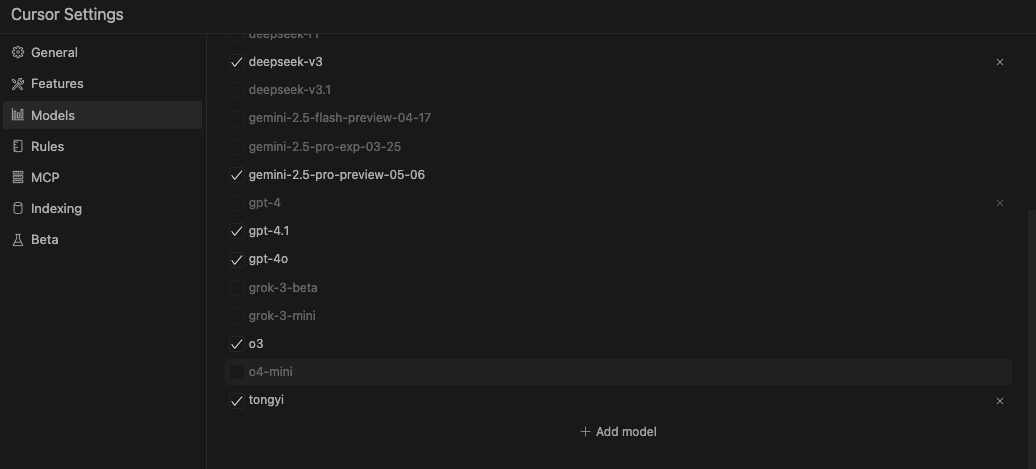
Cursor是一款集成了AI能力的现代化代码编辑器,特别适合Flutter开发,它能:
示例1:用自然语言生成鸿蒙风格的首页
在Cursor中使用快捷键Cmd+I,输入提示词,Cursor很快就可以生成代码,并给出注释和说明。
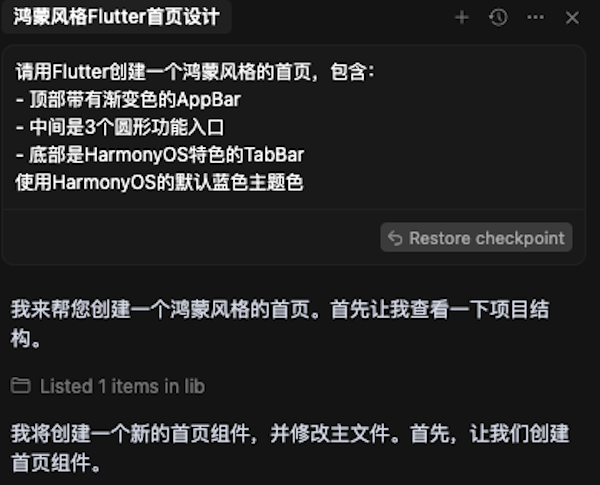
Cursor生成的代码示例:
import 'package:flutter/material.dart';

class HomePage extends StatelessWidget {
  const HomePage({super.key});

  @override
  Widget build(BuildContext context) {
    return Scaffold(
      body: Container(
        decoration: const BoxDecoration(
          gradient: LinearGradient(
            begin: Alignment.topCenter,
            end: Alignment.bottomCenter,
            colors: [
              Color(0xFF007DFF), // HarmonyOS 蓝色
              Color(0xFF0057B8), // 深蓝色渐变
            ],
          ),
        ),
        child: SafeArea(
          child: Column(
            children: [
              // 顶部AppBar
              Padding(
                padding: const EdgeInsets.all(16.0),
                child: Row(
                  mainAxisAlignment: MainAxisAlignment.spaceBetween,
                  children: [
                    const Text(
                      '首页',
                      style: TextStyle(
                        color: Colors.white,
                        fontSize: 24,
                        fontWeight: FontWeight.bold,
                      ),
                    ),
                    IconButton(
                      icon: const Icon(Icons.notifications_outlined, color: Colors.white),
                      onPressed: () {},
                    ),
                  ],
                ),
              ),

              // 功能入口区域
              Expanded(
                child: Center(
                  child: Row(
                    mainAxisAlignment: MainAxisAlignment.spaceEvenly,
                    children: [
                      _buildFeatureCircle(
                        icon: Icons.phone_android,
                        label: '设备',
                        onTap: () {},
                      ),
                      _buildFeatureCircle(
                        icon: Icons.folder,
                        label: '文件',
                        onTap: () {},
                      ),
                      _buildFeatureCircle(
                        icon: Icons.settings,
                        label: '设置',
                        onTap: () {},
                      ),
                    ],
                  ),
                ),
              ),
            ],
          ),
        ),
      ),
      bottomNavigationBar: BottomNavigationBar(
        currentIndex: 0,
        selectedItemColor: const Color(0xFF007DFF),
        unselectedItemColor: Colors.grey,
        type: BottomNavigationBarType.fixed,
        items: const [
          BottomNavigationBarItem(
            icon: Icon(Icons.home),
            label: '首页',
          ),
          BottomNavigationBarItem(
            icon: Icon(Icons.explore),
            label: '发现',
          ),
          BottomNavigationBarItem(
            icon: Icon(Icons.person),
            label: '我的',
          ),
        ],
      ),
    );
  }

  Widget _buildFeatureCircle({
    required IconData icon,
    required String label,
    required VoidCallback onTap,
  }) {
    return GestureDetector(
      onTap: onTap,
      child: Column(
        mainAxisSize: MainAxisSize.min,
        children: [
          Container(
            width: 80,
            height: 80,
            decoration: BoxDecoration(
              color: Colors.white,
              shape: BoxShape.circle,
              boxShadow: [
                BoxShadow(
                  color: Colors.black.withOpacity(0.1),
                  blurRadius: 10,
                  offset: const Offset(0, 4),
                ),
              ],
            ),
            child: Icon(
              icon,
              size: 32,
              color: const Color(0xFF007DFF),
            ),
          ),
          const SizedBox(height: 8),
          Text(
            label,
            style: const TextStyle(
              color: Colors.white,
              fontSize: 16,
            ),
          ),
        ],
      ),
    );
  }
}
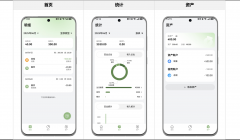
运行效果如下:
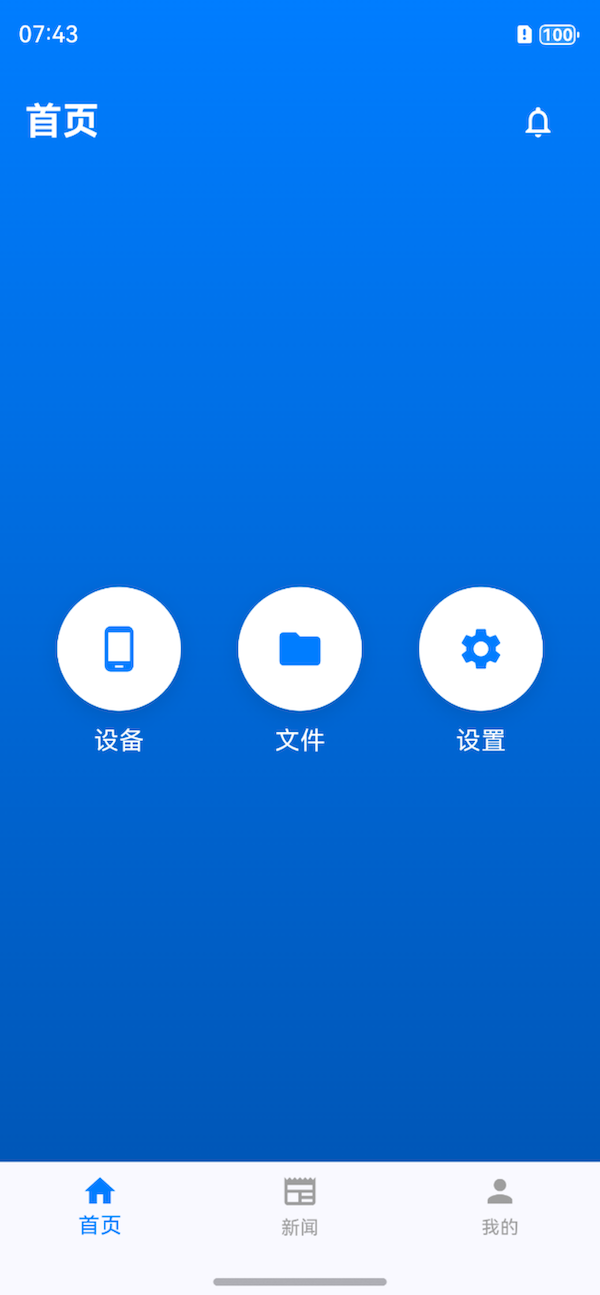
没有改一行代码,是不是很完整?很惊艳?!
这就是Cursor的强大之处。
fvm flutter create --platforms=ohos --project-name demo .
在lib/harmony_adapter.dart中添加鸿蒙平台特定代码:
import 'package:flutter/services.dart';

class HarmonyBridge {
  static const _channel = MethodChannel('com.example/harmony');

  // 调用鸿蒙的原生能力
  static Future<void> triggerHarmonyFeature(String feature) async {
    try {
      await _channel.invokeMethod('triggerFeature', {'name': feature});
    } on PlatformException catch (e) {
      print("调用鸿蒙功能失败: ${e.message}");
    }
  }
}
提示词:
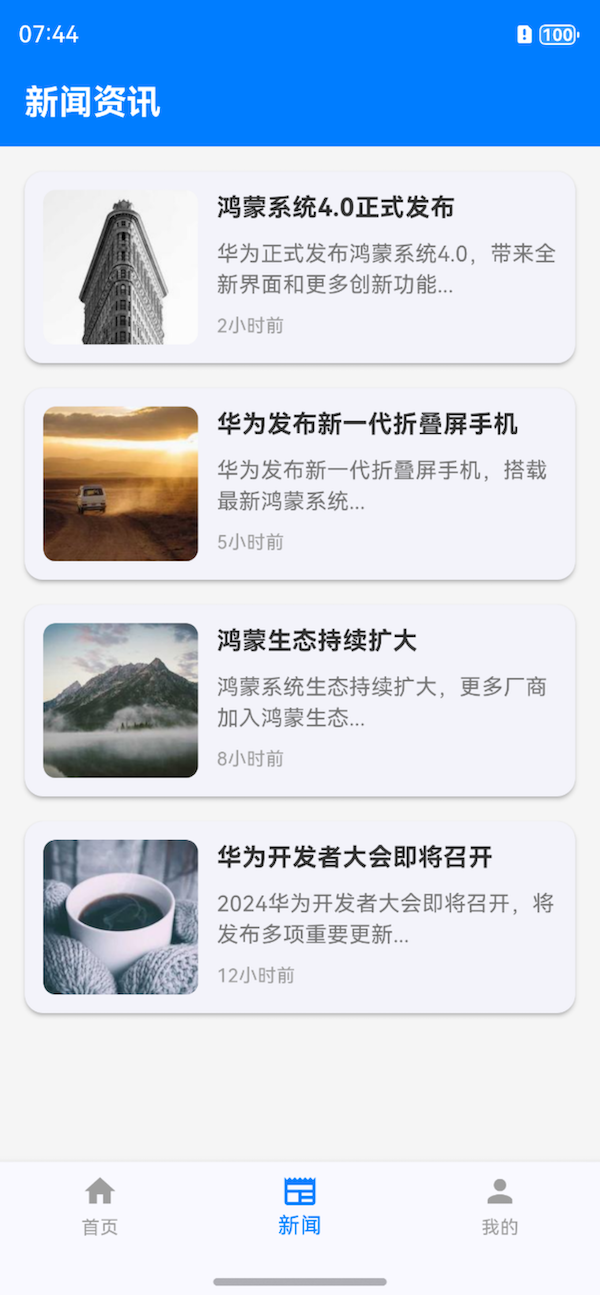
创建一个新闻列表页面,要求:
- 使用ListView.builder
- 每条新闻包含图片、标题、简短描述和发布时间
- 图片在左,文字内容在右
- 鸿蒙风格的设计,带有轻微的圆角和阴影
- 实现下拉刷新功能
Cursor不仅生成了我想要的代码,还将该页面添加到导航栏中,并引导进行flutter pub get。
全程只需要Cmd+Enter即可,整个过程非常丝滑!
生成的代码经过调整后:
import 'package:flutter/material.dart';
import '../models/news_item.dart';
import 'package:intl/intl.dart';

class NewsPage extends StatefulWidget {
  const NewsPage({super.key});

  @override
  State<NewsPage> createState() => _NewsPageState();
}

class _NewsPageState extends State<NewsPage> {
  List<NewsItem> _newsItems = [];
  bool _isLoading = false;

  @override
  void initState() {
    super.initState();
    _loadNews();
  }

  Future<void> _loadNews() async {
    setState(() {
      _isLoading = true;
    });

    // 模拟网络请求延迟
    await Future.delayed(const Duration(seconds: 1));

    setState(() {
      _newsItems = mockNewsItems;
      _isLoading = false;
    });
  }

  String _formatTime(DateTime time) {
    final now = DateTime.now();
    final difference = now.difference(time);

    if (difference.inDays > 0) {
      return '${difference.inDays}天前';
    } else if (difference.inHours > 0) {
      return '${difference.inHours}小时前';
    } else if (difference.inMinutes > 0) {
      return '${difference.inMinutes}分钟前';
    } else {
      return '刚刚';
    }
  }

  @override
  Widget build(BuildContext context) {
    return Scaffold(
      backgroundColor: Colors.grey[100],
      appBar: AppBar(
        title: const Text(
          '新闻资讯',
          style: TextStyle(
            color: Colors.white,
            fontWeight: FontWeight.bold,
          ),
        ),
        backgroundColor: const Color(0xFF007DFF),
      ),
      body: RefreshIndicator(
        onRefresh: _loadNews,
        child: _isLoading
            ? const Center(child: CircularProgressIndicator())
            : ListView.builder(
                padding: const EdgeInsets.all(16),
                itemCount: _newsItems.length,
                itemBuilder: (context, index) {
                  final news = _newsItems[index];
                  return Card(
                    margin: const EdgeInsets.only(bottom: 16),
                    elevation: 2,
                    shape: RoundedRectangleBorder(
                      borderRadius: BorderRadius.circular(12),
                    ),
                    child: InkWell(
                      onTap: () {
                        // TODO: 处理新闻点击事件
                      },
                      borderRadius: BorderRadius.circular(12),
                      child: Padding(
                        padding: const EdgeInsets.all(12),
                        child: Row(
                          crossAxisAlignment: CrossAxisAlignment.start,
                          children: [
                            ClipRRect(
                              borderRadius: BorderRadius.circular(8),
                              child: Image.network(
                                news.imageUrl,
                                width: 100,
                                height: 100,
                                fit: BoxFit.cover,
                              ),
                            ),
                            const SizedBox(width: 12),
                            Expanded(
                              child: Column(
                                crossAxisAlignment: CrossAxisAlignment.start,
                                children: [
                                  Text(
                                    news.title,
                                    style: const TextStyle(
                                      fontSize: 16,
                                      fontWeight: FontWeight.bold,
                                      color: Color(0xFF333333),
                                    ),
                                    maxLines: 2,
                                    overflow: TextOverflow.ellipsis,
                                  ),
                                  const SizedBox(height: 8),
                                  Text(
                                    news.description,
                                    style: TextStyle(
                                      fontSize: 14,
                                      color: Colors.grey[600],
                                    ),
                                    maxLines: 2,
                                    overflow: TextOverflow.ellipsis,
                                  ),
                                  const SizedBox(height: 8),
                                  Text(
                                    _formatTime(news.publishTime),
                                    style: TextStyle(
                                      fontSize: 12,
                                      color: Colors.grey[500],
                                    ),
                                  ),
                                ],
                              ),
                            ),
                          ],
                        ),
                      ),
                    ),
                  );
                },
              ),
      ),
    );
  }
}
生成页面效果:
构建鸿蒙应用包:
flutter build hap
生成的HAP包位于build/harmony/outputs目录,可通过DevEco Studio进行进一步调试和发布。
渲染优化:
ListView.builderRepaintBoundary隔离重绘区域内存管理:
// 图片加载使用缓存
CachedNetworkImage(
  imageUrl: 'https://example.com/image.jpg',
  placeholder: (context, url) => CircularProgressIndicator(),
  errorWidget: (context, url, error) => Icon(Icons.error),
);
平台特性利用:
// 检测鸿蒙平台
if (Platform.isHarmony) {
  // 使用鸿蒙特有API
}
问题1:Flutter在鸿蒙上出现渲染异常
问题2:原生功能调用失败
config.json中正确声明了所需权限问题3:Cursor生成的代码不符合预期
通过Flutter+Cursor的组合,我们能够快速开发出高质量的HarmonyOS应用。Flutter提供了跨平台的统一开发体验,而Cursor在生成简单UI代码方面效果非常显著,大大提升了UI开发效率。
如果你对这种开发模式有兴趣,赶快尝试一下吧~
我是郑知鱼????,欢迎大家讨论与指教。
如果你觉得有所收获,也请点赞????????收藏⭐️关注????我吧~~





 关注微信
关注微信