
时间:2025-09-14 19:59
人气:
作者:admin
EF Core(Entity Framework Core)是Microsoft推出的开源跨平台ORM框架,支持SQL Server、SQLite、MySQL、PostgreSQL等主流数据库,并提供向NoSQL数据库(如Cosmos DB)的扩展能力。它通过DbContext管理实体与数据库的映射关系,提供LINQ查询、CRUD操作及数据库迁移功能,适用于微服务架构、Web API开发等场景。
在本文中,将使用 Entity Framework Core 8.0 对 MySQL 5.7.2 数据库执行数据访问。
确保已安装.NET SDK(推荐8.0)和MySQL数据库。通过NuGet包管理器或者以下命令添加NuGet包:
--包
Microsoft.EntityFrameworkCore
Pomelo.EntityFrameworkCore.MySql
Microsoft.EntityFrameworkCore.Tools
--命令
dotnet add package Microsoft.EntityFrameworkCore
dotnet add package Pomelo.EntityFrameworkCore.MySql
dotnet add package Microsoft.EntityFrameworkCore.Tools
注意:版本的选择尽量与.NET版本一致,我这里使用的.NET8.0。
在appsettings.json中配置MySQL连接信息:
{ "ConnectionStrings": { "DefaultConnection": "server=localhost;port=3306;database=testdb;user=root;password=yourpassword;" } }
//或直接在DbContext中配置:
optionsBuilder.UseMySql(connectionString, ServerVersion.AutoDetect(connectionString));

定义与数据库表对应的实体类,例如:
namespace CP.ProductService.Domains.Models
{
    /// <summary>
    /// 商品 聚合根
    /// </summary>
    public class Product
    {
        public int Id { get; set; }

        public string Name { get; set; }

        public decimal Price { get; set; }

        public string Description { get; set; }

        public List<ProductImage> ProductImages { get; set; }
    }
}
namespace CP.ProductService.Domains.Models
{
    /// <summary>
    /// 商品图片 【实体】
    /// </summary>
    public class ProductImage
    {
        public int Id { get; set; }

        public string Name { get; set; }

        public string Path { get; set; }

        public string Description { get; set; }
    }
}
创建上下文类并映射实体集:
using CP.ProductService.Domains.Models;
using Microsoft.EntityFrameworkCore;

namespace CP.ProductService.Infrastructures.Datas
{
    /// <summary>
    /// 创建上下文
    /// </summary>
    public class ProductContext : DbContext
    {
        public ProductContext(DbContextOptions options) : base(options)
        {
        }

       // protected override void OnConfiguring(DbContextOptionsBuilder optionsBuilder)
       //=> optionsBuilder.UseMySql("Serve=localhost;Port=3306;DataBase=ProductService;Uid=root;Pwd=123456;"
       //    , new MySqlServerVersion("5.7.29"));

        public DbSet<Product> Products { get; set; }
    }
}
在program.cs中注入UserContext依赖:
//1、注册ProductContext
builder.Services.AddDbContext<ProductContext>(option => {
    //2、使用MySql
    option.UseMySql(builder.Configuration.GetConnectionString("Default"),
        new MySqlServerVersion("5.7.29"));
});
dotnet ef
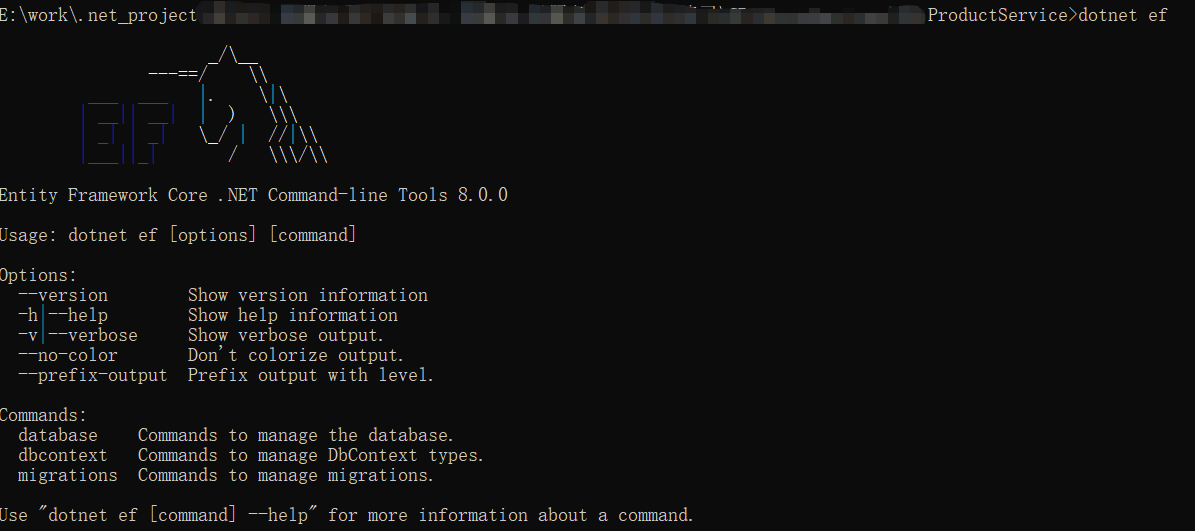
如上图所示,看到这个符号就是已安装成功。
注意:如果工具未安装就运行”dotnet ef“,会报”无法执行,因为找不到指定的命令或文件。可能造成此问题的原因包括:*内置 dotnet 命令拼写错误。*你打算执行 .NET 程序,但 dotnet-ef 不存在。*你打算运行全局工具,但在 PATH 上找不到具有此名称且带有 dotnet 前缀的可执行文件。“的错误,如下图。

//安装最新版
dotnet tool install --global dotnet-ef
//安装指定版本(避免兼容性问题)
dotnet tool install --global dotnet-ef --version 8.0

//顺便记录下卸载命令
dotnet tool uninstall --global dotnet-ef

migrations 命令为迁移搭建基架,为模型创建初始表集。
dotnet ef migrations add InitialCreate


可以看到迁移类文件已生成。
database update 命令将创建数据库,并将新的迁移应用到该数据库。
dotnet ef database update
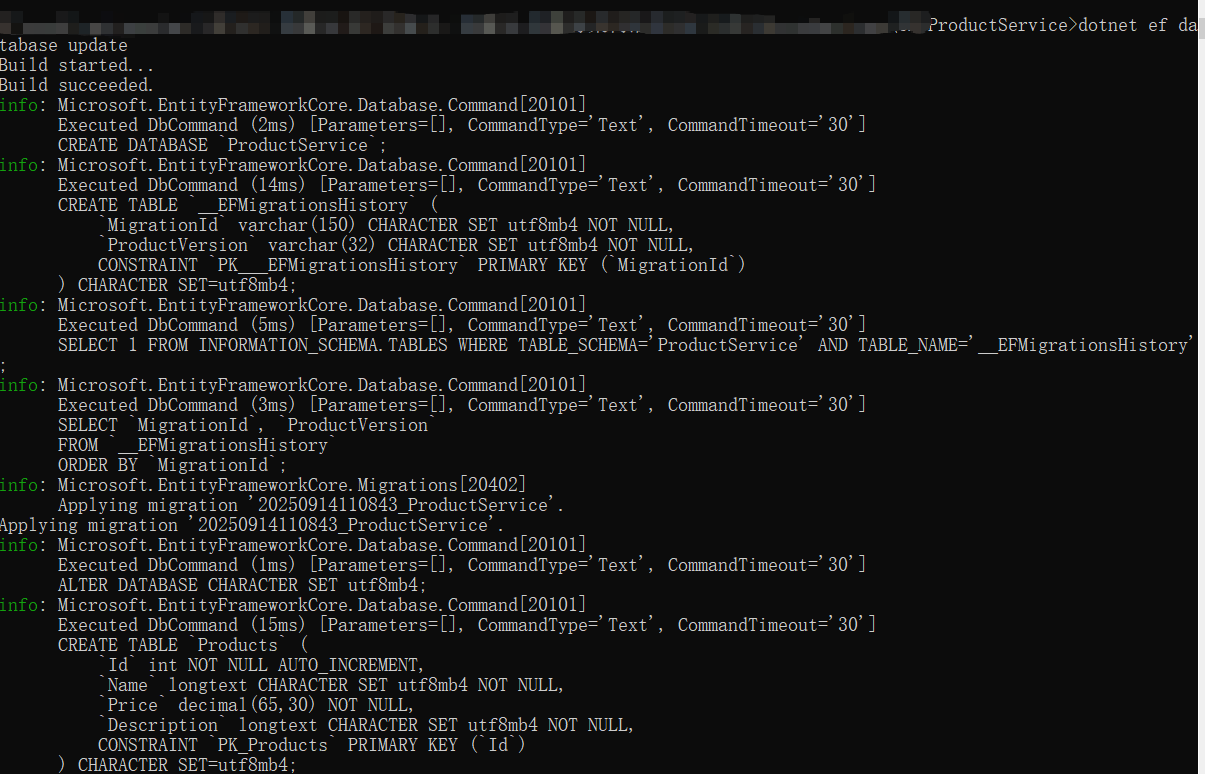
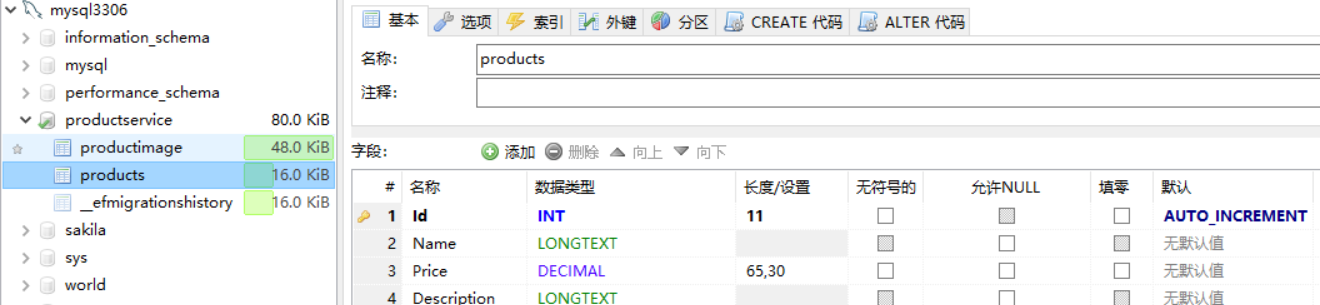
可以看到数据库和表都生成了。
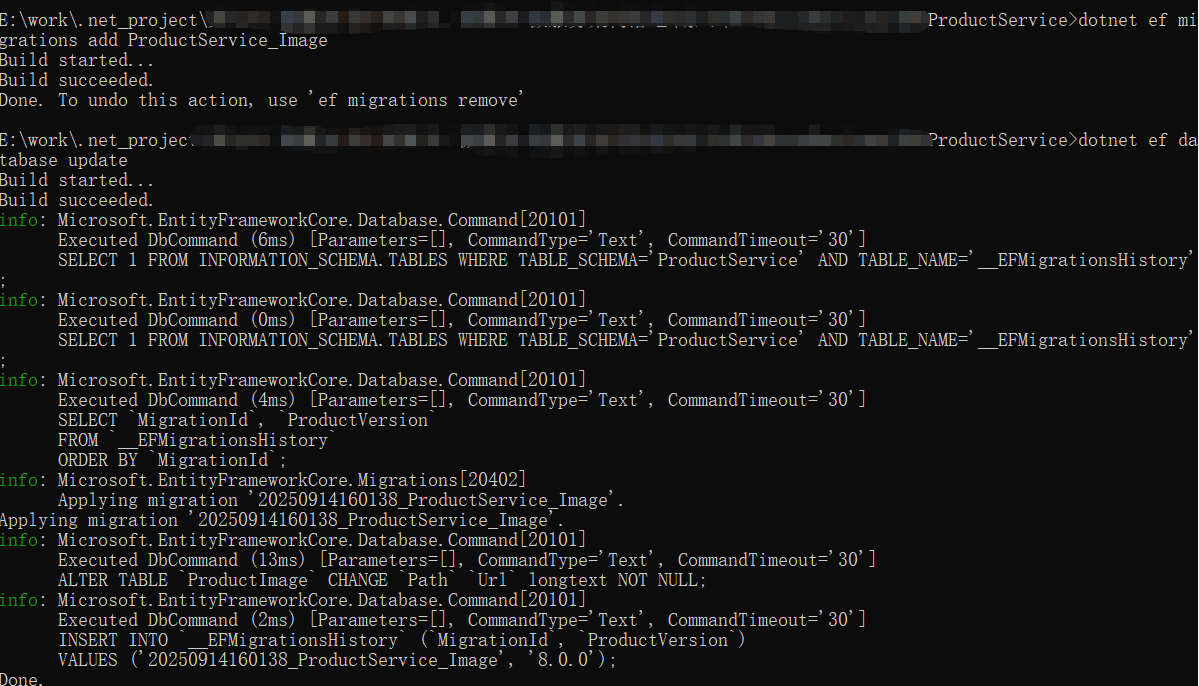
dotnet ef migrations add InitialCreate_xxx
dotnet ef database update
改一下ProductImage实体类的字段,Path改为Url,依次执行以上两个命令,会生成增量迁移类文件,数据库里ProductImage表字段也会更新,效果如下图。

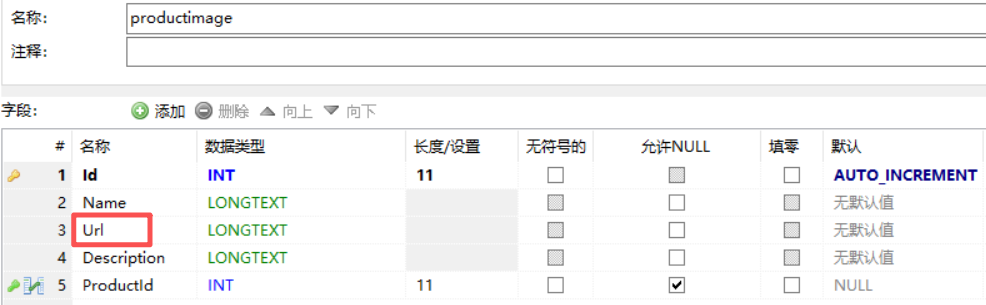
注意:如果迁移类名用已存在的迁移类名,会报”The name 'xxxxx' is used by an existing migration.“的错误,如下图。

// 添加数据
using (var context = new ProductContext())
{
    var product = new Product{
        Name = "Laptop",
        Price = 999.99m,
        Description= "笔记本"
    };
    context.Products.Add(product);

    context.SaveChanges();
}

// 查询数据
using (var context = new ProductContext())
{
    var expensiveProducts = context.Products
        .Where(p => p.Price > 500)
        .OrderByDescending(p => p.Price)
        .ToList();
}

// 更新数据
using (var context = new ProductContext())
{
    var product = context.Products.FirstOrDefault(p => p.Name == "Laptop");
    if (product != null)
    {
        product.Price = 899.99m;
        context.SaveChanges();
    }
}

// 删除数据
using (var context = new ProductContext())
{
    var product = context.Products.FirstOrDefault(p => p.Name == "Laptop");
    if (product != null)
    {
        context.Products.Remove(product);
        context.SaveChanges();
    }
}
本文主要介绍了EF Core的理论部分,如何使用EF Core连接MySQL执行数据访问,包括模型创建、DbContext配置、数据库迁移以及基本的增删改查操作。

Microsoft Agent Framework Skills 执行 Scripts(实
EF Core 原生 SQL 实战:FromSql、SqlQuery 与对



 关注微信
关注微信